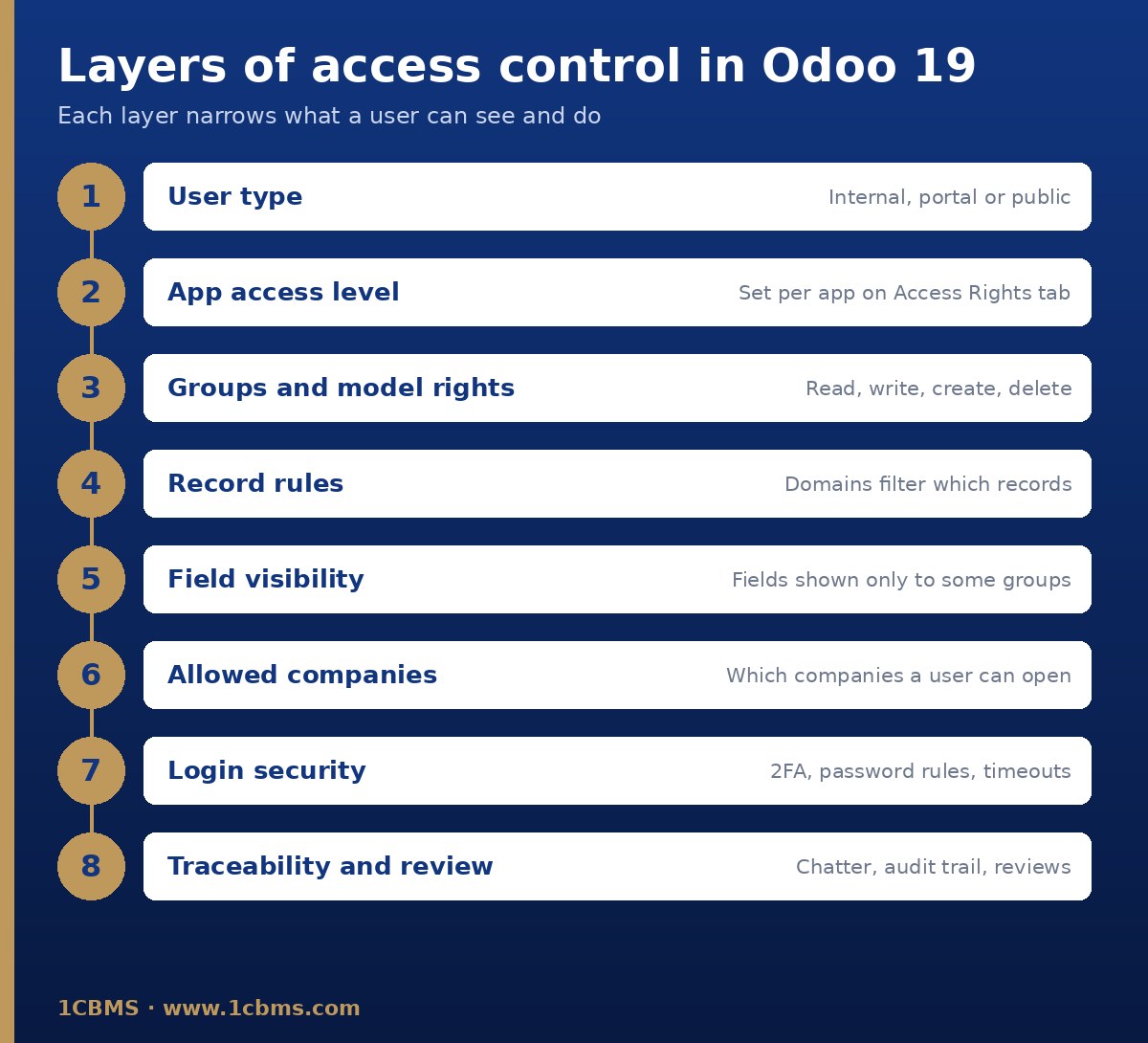
Start with the standard options before editing record rules. Most of what you describe is covered by the access levels on the user form.
Limit salespeople to their own documents
Go to Settings, Users section, Manage Users, open each salesperson and, on the Access Rights tab, set Sales to User: Own Documents instead of User: All Documents. Keep All Documents for sales managers only.
Hide the cost field
In Odoo Studio, open the product form, select the cost field and use Allow visibility to groups or Forbid visibility to groups so only the right group can see it. Without Studio this needs a developer.
Restrict companies
On the same Access Rights tab, use the Multi Companies area to set Allowed Companies and the Default Company. Users then only see records from companies they are allowed into, and records with a blank Company field stay shared.
When to touch record rules
Only edit groups and record rules in developer mode if the standard levels cannot express your rule. The official docs warn that bad changes can leave nobody able to fix access, so involve an experienced consultant.
Test and secure
- Make the changes in a duplicate database first and log in as a test salesperson to check what they see.
- Enforce two-factor authentication from the Permissions section of Settings.
- Install the Password Policy module and set a minimum password length.
- Review user access every quarter and archive leavers promptly.
Always confirm the exact options in your own database, as they depend on your version and installed apps.