Skip to Content

Welcome!

Share and discuss the best content and new marketing ideas, build your professional profile and become a better marketer together.

Sign up

This question has been flagged
1 Reply
21 Views

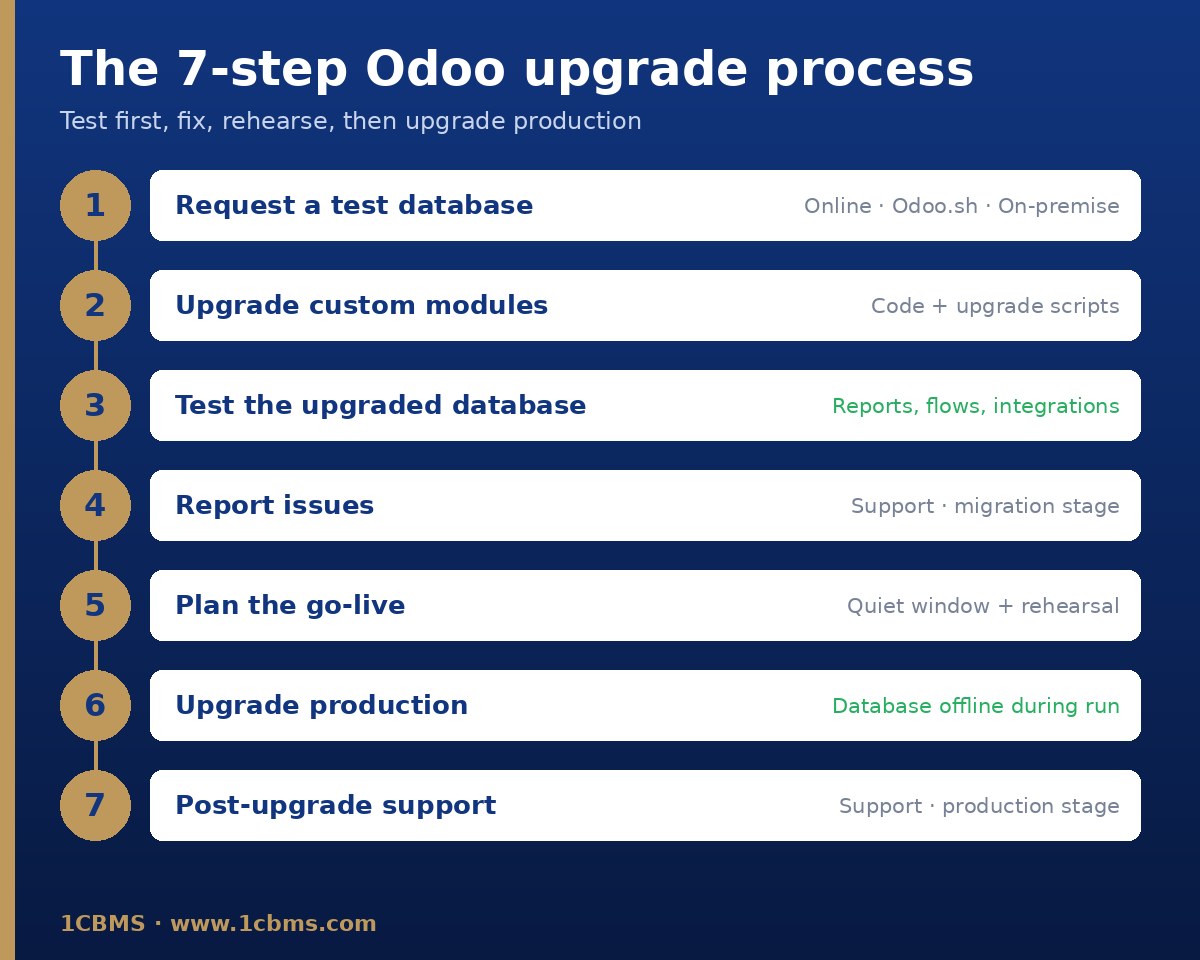
The seven-step Odoo upgrade process: test database, custom modules, testing, issue reporting, planning, production upgrade, post-upgrade support

We run Odoo on an older version with a few custom modules. What are the exact steps to upgrade to the latest version safely, and what is different between Odoo Online, Odoo.sh and on-premise?

Avatar
Discard
Author Best Answer

Odoo's official process has seven steps, and it is the same idea on every hosting type: test first, fix, rehearse, then upgrade production.

The steps

  • Request an upgraded test database: on Odoo Online from the database manager (Manage, then Upgrade, purpose Test); on Odoo.sh from the Upgrade tab on a staging branch; on-premise with the official upgrade script and the test option.
  • Upgrade your custom modules to the target version: install them on an empty database, fix errors and write upgrade scripts in the upgrades or migrations folder for any data changes.
  • Test the upgraded database: views, reports, record creation, website pages, integrations and full business flows. Test databases are neutralised, so emails, payments and scheduled actions are disabled.
  • Report every problem to Odoo support at the migration stage and request a new test database after each fix.
  • Plan the go-live at a quiet time and run a full rehearsal the day before.
  • Request the production upgrade: purpose Production on Odoo Online, a new commit on the production branch on Odoo.sh, or the upgrade script with the production option on-premise.
  • Report any post-go-live issue at the production stage.

Good to know

  • The database is unavailable during the production upgrade, and on Odoo Online you cannot go back once it completes.
  • Custom modules block the upgrade until they are compatible with the target version.
  • For Enterprise, the upgrade service is included; in-house or third-party modules without a maintenance contract are your responsibility.
  • Community users usually upgrade with the OCA's OpenUpgrade project.

Always check the current official upgrade documentation for your target version, since commands and menus can change.

Avatar
Discard
Related Posts Replies Views Activity
1
Oct 26
22
1
Oct 26
5
1
Oct 26
1
1
Oct 26
23
1
Oct 26
16