
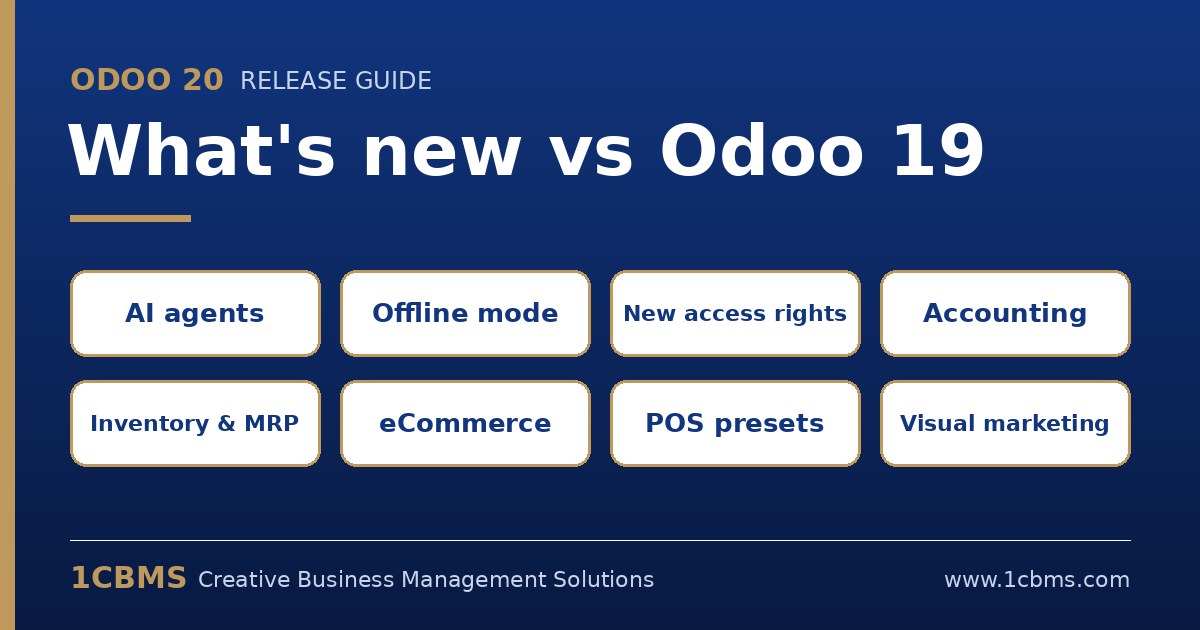
Odoo 20 was unveiled on 24 September 2026 at the opening keynote of Odoo Experience in Brussels. It is the biggest step in Odoo's use of artificial intelligence so far, but most of the release is practical work across every app: fewer clicks, fewer workarounds and better data. This article summarises the main changes for companies already running Odoo 19, explains what changes in daily use, and lists what to check before upgrading.
A note on sources: this summary is based on Odoo's published release notes as reported by several Odoo partners. Feature availability can differ between Community and Enterprise, between hosting types and between countries, so always confirm a feature in a test database before planning around it.
The headline changes at a glance
- AI agents that act: agents can now create and update records, run inside automation rules or on a schedule, read uploaded PDFs and accept voice requests.
- A native MCP server: external AI assistants can connect to an Odoo database through the Model Context Protocol, respecting each user's access rights and read-only by default.
- Real offline mode: users can create, edit, archive and delete records without a connection; changes are queued and synchronised when the connection returns.
- A new access-rights model: record rules are removed and their domains move onto the access rights themselves, so security is defined in one place.
- A redesigned mobile experience, a revamped chatter and tax-included or tax-excluded prices on orders and invoices.
AI: from assistant to agent
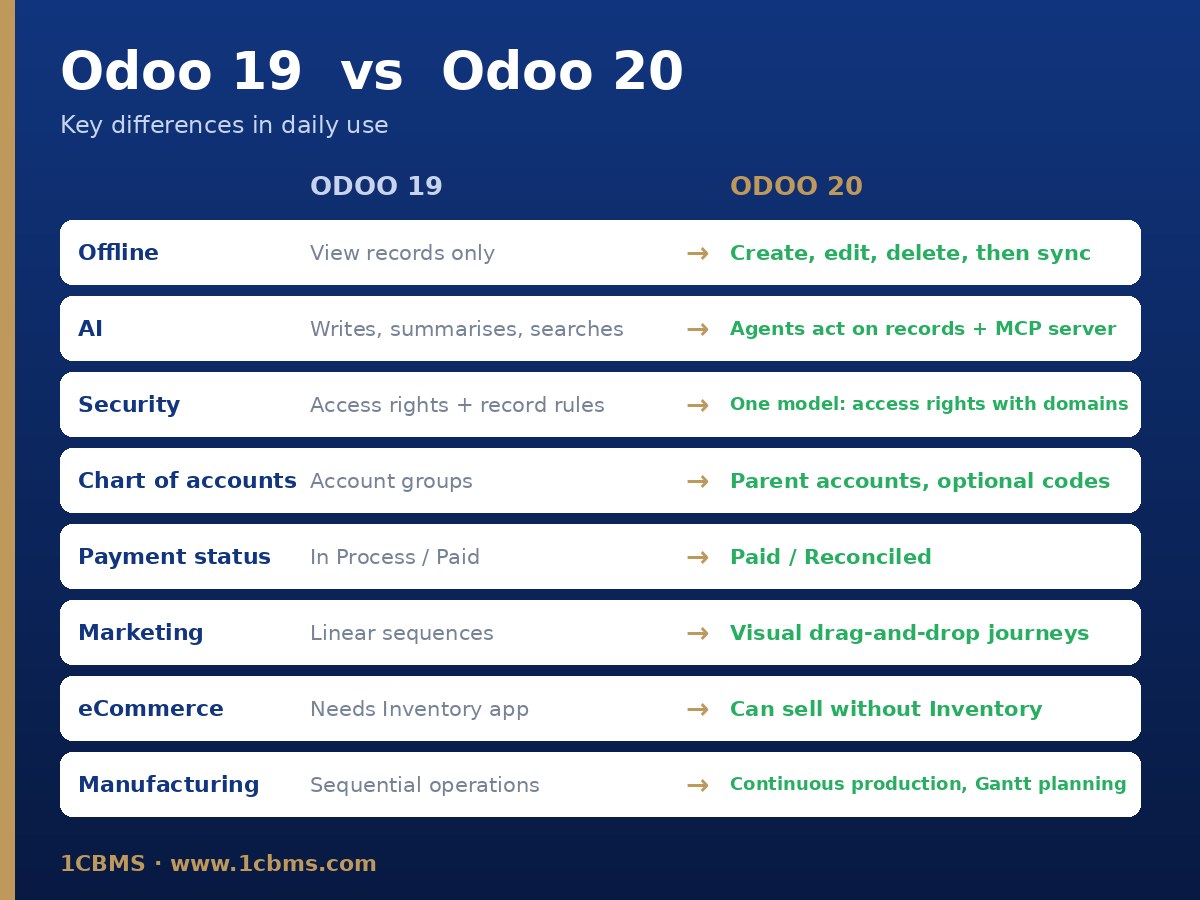
In Odoo 19, AI mainly helped users write, summarise and search. In Odoo 20 agents can take action, under the user's permissions.
- Agents can be triggered by an automation rule or at a set time, and each run is visible in a chat log.
- Agents can turn a document into records, for example a client specification into a project with tasks.
- Users can dictate requests by voice and ask questions about a file while previewing it.
- Odoo chooses the AI model for each task automatically once a provider is selected.
- App-specific help: Helpdesk answers suggested from similar tickets, an accounting agent that answers questions using the company's own data, an AI website assistant that builds pages and forms, and help setting up marketing automation.
Important: AI features consume credits bought through In-App Purchase, so budget for usage rather than assuming AI is free with the subscription.
Everyday usability
- Offline mode goes beyond viewing: create, edit, archive, delete and rerun previous searches while offline.
- Mobile: swipe-down search, touch-friendly forms and date pickers, and sharing files from the phone straight into Odoo to create bills, expenses, tasks, leads or time-off requests.
- Chatter: pin important messages, filter by conversations or tracked changes, and add CC recipients to emails.
- Activities can be assigned to a role instead of a named person, and links can be shared with the current search, filters and grouping kept.
- Prices can be shown tax-included or tax-excluded on sales orders, purchase orders and invoices.
Accounting and finance
- Bill line prediction pre-fills product, account, taxes and analytic distribution from past bills and descriptions.
- Parent accounts replace account groups in the chart of accounts, and account codes become optional.
- Payment statuses are renamed: what Odoo 19 called In Process is now Paid, and what was Paid is now Reconciled.
- Bank reconciliation can match against several accounts at once, with a reconciliation summary report for a period.
- Bill payment through a payment-initiation (PISP) interface where the bank and country support it, plus improved intercompany matching of bills and purchase orders.
- Stock and accounting valuation can be handled without installing the Inventory app.
Sales, CRM and eCommerce
- CRM lead distribution rules let managers decide who receives leads, with unlimited, capped or no rotation; lead enrichment moves from Clearbit to Dun & Bradstreet.
- Upsell and renewal opportunities can be created from a customer's existing subscriptions.
- Quotation and section templates with subsections, a hide-price option, product images on quotations and commissions based on amounts actually paid.
- eCommerce: customer returns from the portal, preferred delivery date at checkout, stock-based publishing and unpublishing, accessory and alternative product suggestions, per-pricelist tax display for B2B and B2C on one site, and selling online without installing Inventory.
- Structured data is added to the website by default and an llms.txt file can be created for AI crawlers.
Inventory, Manufacturing and Purchase
- Intercompany routes allow one company to resupply another or ship from another company's warehouse.
- Suggested minimum and maximum stock levels for reordering rules, based on demand history and order frequency.
- Auto-generated CMR consignment notes and a native ShipStation connector.
- Barcode: bulk lot and serial generation, product creation by scanning and counting totals instead of single units.
- Manufacturing: continuous production so later operations start before the whole quantity is finished, Kanban and drag-and-drop Gantt planning of work orders, splitting ongoing orders and resetting orders to draft, plus BoM comparison and ECO cost reports.
- Purchase: a default Incoterm per vendor, a vendor quality rating from quality checks and editable expected arrival dates that keep the original promise for on-time statistics.
Services, HR and Payroll
- Project roles, portal collaboration without making customers followers, projects created from CRM opportunities and a new project dashboard with profitability reporting.
- Planning: several resources per shift, Auto Plan priorities and schedules sent via WhatsApp.
- Timesheets: a global timer in the top menu and an ActivityWatch integration that suggests time entries for review.
- Attendance: check-in photos, automatic check-out, overtime rules including public-holiday rates and a new overtime report, with direct support for more biometric devices.
- Payroll: a redesigned dashboard focused on setup warnings, a step-by-step pay run and salary simulation from a net amount.
Marketing and Point of Sale
- Marketing Automation becomes a visual drag-and-drop journey builder with behavioural triggers such as page visits, email clicks and form submissions, plus webhooks.
- Social Marketing can publish and schedule Facebook and Instagram stories; WhatsApp gains interactive templates and abandoned-cart follow-ups.
- Point of Sale: presets for dine-in, take-away and delivery that can apply the right pricelist and fiscal position, service fees, multi-currency checkout and a global sale option that creates one summary sale per session.
What changes in daily use compared with Odoo 19
- Security administrators no longer maintain access rights and record rules separately; each access right carries its own domain.
- Accountants will see different payment status labels and parent accounts instead of account groups, so reports and training material need updating.
- Field and sales staff can keep working without a connection instead of only reading data offline.
- Marketing teams build journeys visually instead of linear trigger-wait-email sequences.
- Managers can delegate repetitive work to AI agents, but must decide which actions run automatically and which need approval.
Problems Odoo 20 solves
- Lost work in areas with weak or unstable internet, a common issue in field sales, warehouses and branches.
- Duplicated and confusing security configuration split between access rights and record rules.
- Manual typing of vendor bills line by line.
- Intercompany flows that previously needed custom development or manual documents.
- Webshops showing products that are out of stock, and the need to install Inventory just to sell online.
- POS configuration workarounds for restaurants handling dine-in, take-away and delivery with different prices.
What to check before upgrading
- Custom modules: record rules and older security files must be converted to the new access model, and custom code must be tested on version 20.
- Accounting: review reports, filters and integrations that rely on account groups or on the old payment status values.
- Integrations: test connectors, payment providers, e-invoicing and APIs in a copy of the database.
- AI: decide which agents may act on their own, and estimate credit consumption.
- Licensing: compare your user mix with the current plans, including any light-user options offered in your country.
- Timing: run at least one full test upgrade and user acceptance testing, and avoid going live near month-end or tax deadlines.
Should you upgrade now?
New implementations that start now can begin directly on Odoo 20. Companies already live on Odoo 19 do not need to rush: Odoo 19 remains supported, and waiting a few months for the first maintenance updates while running a test upgrade is a safe approach. Companies on older versions should plan their move, since upgrading two versions at once is more work than one.
1CBMS helps companies assess the impact of Odoo 20 on their customisations, run test upgrades, convert security rules and train users on the new features. Contact us to plan your upgrade.